Salesforce Agentforce & AI Agents: 2026 Guide to CRM Automation
Key Takeaways
- Salesforce Agentforce replaces rigid rule-based CRM workflows with context-aware AI agents that can reason, decide, and act autonomously within defined guardrails.
- Open standards — the Model Context Protocol (MCP) and Agent-to-Agent (A2A) protocol — allow Agentforce to connect to any external tool, including existing RPA platforms such as UiPath and OpenBots.
- Hyperautomation, generative AI, and Salesforce Data Cloud are converging to enable end-to-end autonomous CRM workflows across sales, service, and marketing.
- AI-powered CRM automation can reduce support costs by up to 60% and handle the majority of customer queries without any human involvement.
- You do not need to replace your existing automation stack — Agentforce is designed to augment and orchestrate the tools you already have in place.
Introduction
CRM platforms have always promised to put the customer at the centre of your business. For most organisations, that promise has been partially fulfilled — pipelines are visible, contact records are tidy, and a handful of rule-based automations save a few hours each week. In 2026, that picture changes considerably.
Salesforce Agentforce introduces a new category of CRM capability: AI agents that read context, make decisions, and execute multi-step workflows without waiting for a human to approve each action. These are not chatbots with a better script. They are autonomous agents operating within defined guardrails, connected to your live data, and capable of completing tasks that previously required your team’s direct attention.
This guide explains how Agentforce works, where it creates the most business value, and how to approach deployment in a way that is practical, governed, and measurable. Whether you lead a sales team, manage a support operation, or oversee digital transformation, intelligent CRM automation in 2026 starts here.
What Is Salesforce Agentforce?
1. From workflow rules to context-aware agents
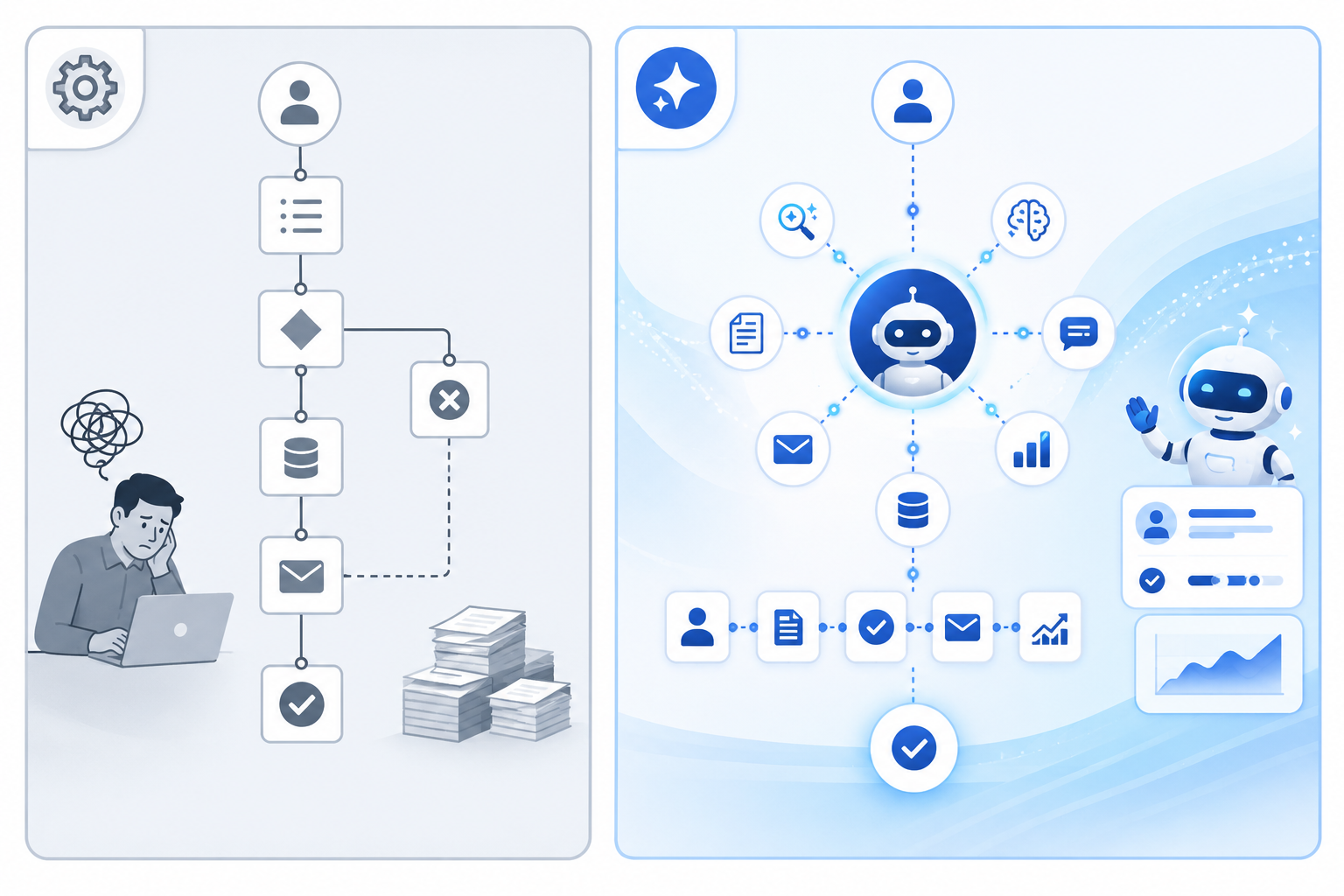
Traditional Salesforce automation — Process Builder, Workflow Rules, Apex triggers — follows a fixed script: if this condition is true, perform this action. That model handles simple, predictable tasks well. It breaks down the moment a process requires judgment, contextual awareness, or coordination across multiple systems.
Agentforce introduces a different architecture. Agents on the platform read the situation — who the customer is, what they have purchased, how they have engaged — and then select from a defined set of actions to complete the task. A scripting layer called Agent Script enforces critical sequences, ensuring that mandatory steps occur regardless of how a conversation unfolds. A financial services agent, for example, cannot surface account details before verifying a customer’s identity, no matter what else the interaction looks like.
2. Open standards that connect your entire stack
Agentforce adopts two open protocols that change how AI agents interact with your technology stack. The Model Context Protocol (MCP) lets agents connect to external tools, APIs, and data sources without a custom connector for each integration. The Agent-to-Agent (A2A) protocol lets agents from different platforms communicate through a shared interface.
In practice, an Agentforce agent can query an external database, trigger an action in an RPA platform, or pass a task to another AI agent — all through standardised, auditable connections. If you want to understand the broader implications of MCP and A2A for enterprise automation, our guide to open standards and interoperable AI agents covers this in detail.
3. Salesforce Data Cloud as the intelligence layer
Salesforce Data Cloud sits beneath Agentforce as a real-time data unification engine. It draws together customer information from your CRM, support desk, marketing platform, and other sources into a single, continuously refreshed profile. When an agent makes a decision, it draws on that complete picture — not the partial view that any single system provides.
Data Cloud is not a hard requirement to get started. But the quality of agent decisions scales directly with the quality of available data, and a unified profile significantly raises the ceiling of what your agents can achieve.
Key Trends Driving CRM Automation in 2026
4. Hyperautomation inside the CRM
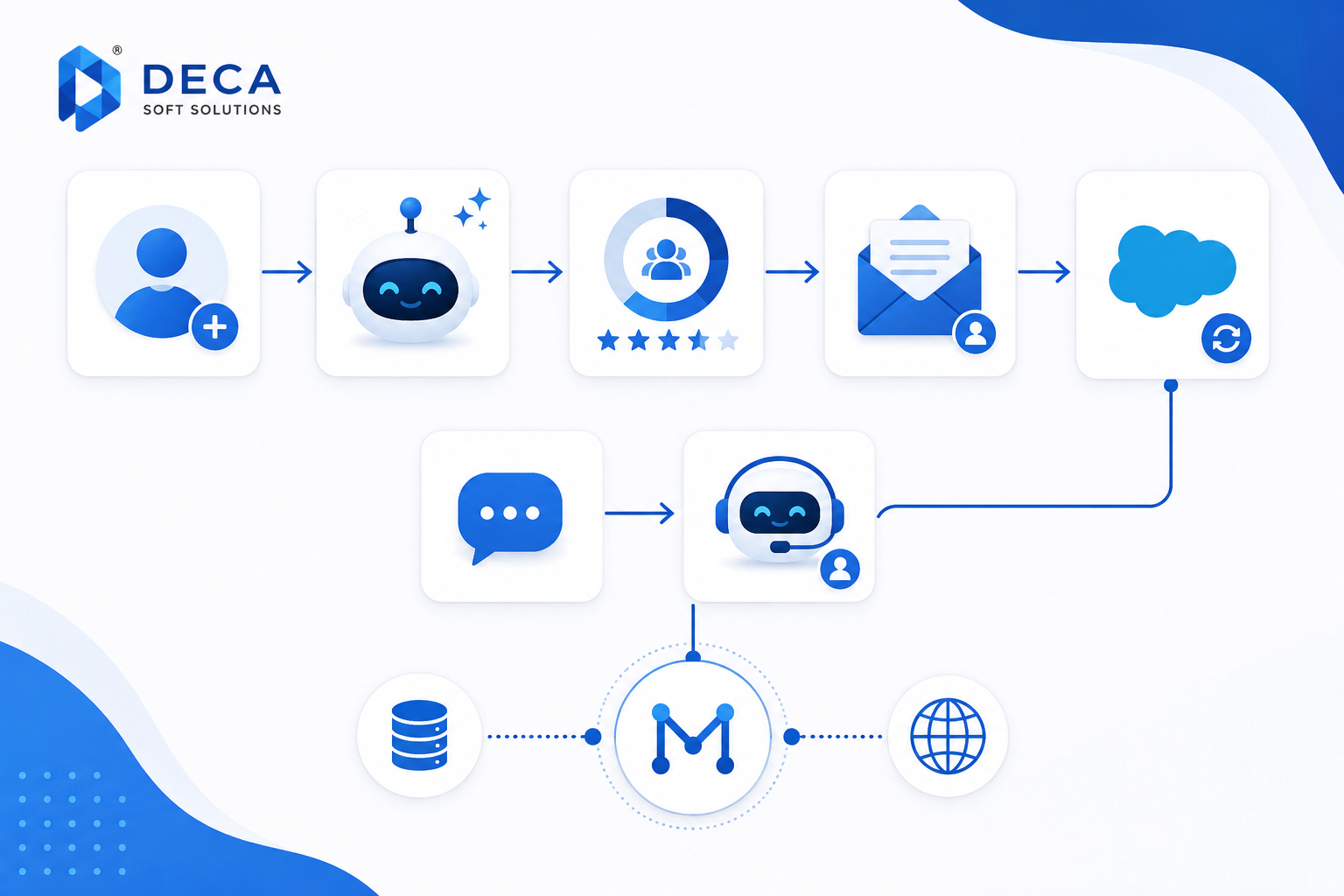
Hyperautomation combines AI, robotic process automation, and analytics into a coordinated system designed to automate complex, multi-step processes from end to end. Within Salesforce, this means connecting lead enrichment, routing logic, communication triggers, and reporting into a single automated pipeline — rather than managing each piece as a separate tool.
Trigger → Action:
Trigger: A new contact is created in Salesforce from a web form submission.
Action: The system enriches the record via a third-party data provider, scores the lead using a predictive AI model, routes it to the appropriate sales rep based on territory rules, and sends a personalised introductory email drafted by a generative AI model — all without any manual steps.
Example: A SaaS company uses this pipeline to handle over 600 inbound leads per week. Sales reps receive a notification only once a lead crosses a defined qualification threshold. Every step before that handoff runs automatically.
5. Generative AI for faster, more consistent engagement
Generative AI in Salesforce produces written output — email drafts, case summaries, knowledge-base articles, chatbot responses — tailored to the context of each interaction. A sales rep opening a call record sees a draft follow-up email built from the last conversation. A support agent picking up a new case gets a summary of the issue and suggested resolution steps before reading a single message.
The aim is not to replace your people. It is to remove the low-value drafting and summarising that occupies a disproportionate share of their working day, freeing their attention for decisions that actually require human judgment.
6. Decision intelligence surfaced at the right moment
Agentforce’s AI engine delivers predictive insights and next-best-action recommendations during interactions — not buried in a dashboard. A service agent handling a renewal conversation might see a prompt: “This customer has a high churn probability — a loyalty offer may prevent cancellation.” The insight arrives when it can be acted on.
This connects to a broader shift happening across enterprise software — the move toward agentic AI systems that act on intelligence rather than simply presenting it for human review.
Agentforce Workflows Across Sales, Service, and Marketing
7. Sales: lead scoring and deal acceleration
AI-based lead scoring analyses historical deal data, engagement activity, and firmographic signals to rank leads by conversion probability. Agents update scores continuously as new interactions come in and automatically deprioritise prospects that have gone cold.
Trigger → Action:
Trigger: A lead’s score drops below the qualification threshold after ten days without any engagement.
Action: The agent sends a re-engagement email, logs the outreach in the CRM, and flags the record for rep review if no response arrives within 48 hours.
8. Customer service: end-to-end resolution without handoffs
Modern Agentforce service agents handle complete request workflows — not just triage and routing. For high-frequency request types such as returns, account updates, and subscription changes, the agent verifies the customer’s identity, checks eligibility, executes the required action, and sends a confirmation — from start to finish, without any human involvement.
Trigger → Action:
Trigger: A customer submits a return request via the support portal.
Action: The agent verifies identity, checks purchase eligibility, processes the return, and sends a confirmation email — end to end, no human required.
Example: A consumer electronics retailer deploys an Agentforce service agent to process return requests. It handles approximately 70% of all returns automatically, reducing average handling time from eight minutes to under 30 seconds per case.
9. Marketing: real-time personalisation at scale
Marketing automation in Salesforce connects live behavioural signals to campaign logic, so contacts receive the right message at the moment it is most relevant — not at whatever time a scheduled batch job runs.
Trigger → Action:
Trigger: A contact visits the pricing page three times within a single week.
Action: The agent segments the contact as high-intent, enrols them in a targeted nurture sequence, notifies their assigned sales rep, and creates a follow-up task to schedule an introductory call.
Benefits of AI-Powered CRM Automation
- Higher team productivity — agents absorb high-volume, repetitive tasks so your people can focus on relationships, strategy, and revenue-generating decisions.
- Faster customer response times — automated workflows act in seconds; customers receive resolutions and confirmations without waiting for a business-hours queue to clear.
- Consistent process execution — agents follow defined guardrails every time, removing the variability that comes from manual handling across different team members or shifts.
- Scalability without proportional headcount growth — you can handle significantly higher request volumes during peak periods without adding staff at the same rate.
- Better-informed decisions in real time — AI insights surface the right information at the moment it matters, supporting stronger outcomes across sales, service, and marketing.
How to Get Started with Salesforce Agentforce
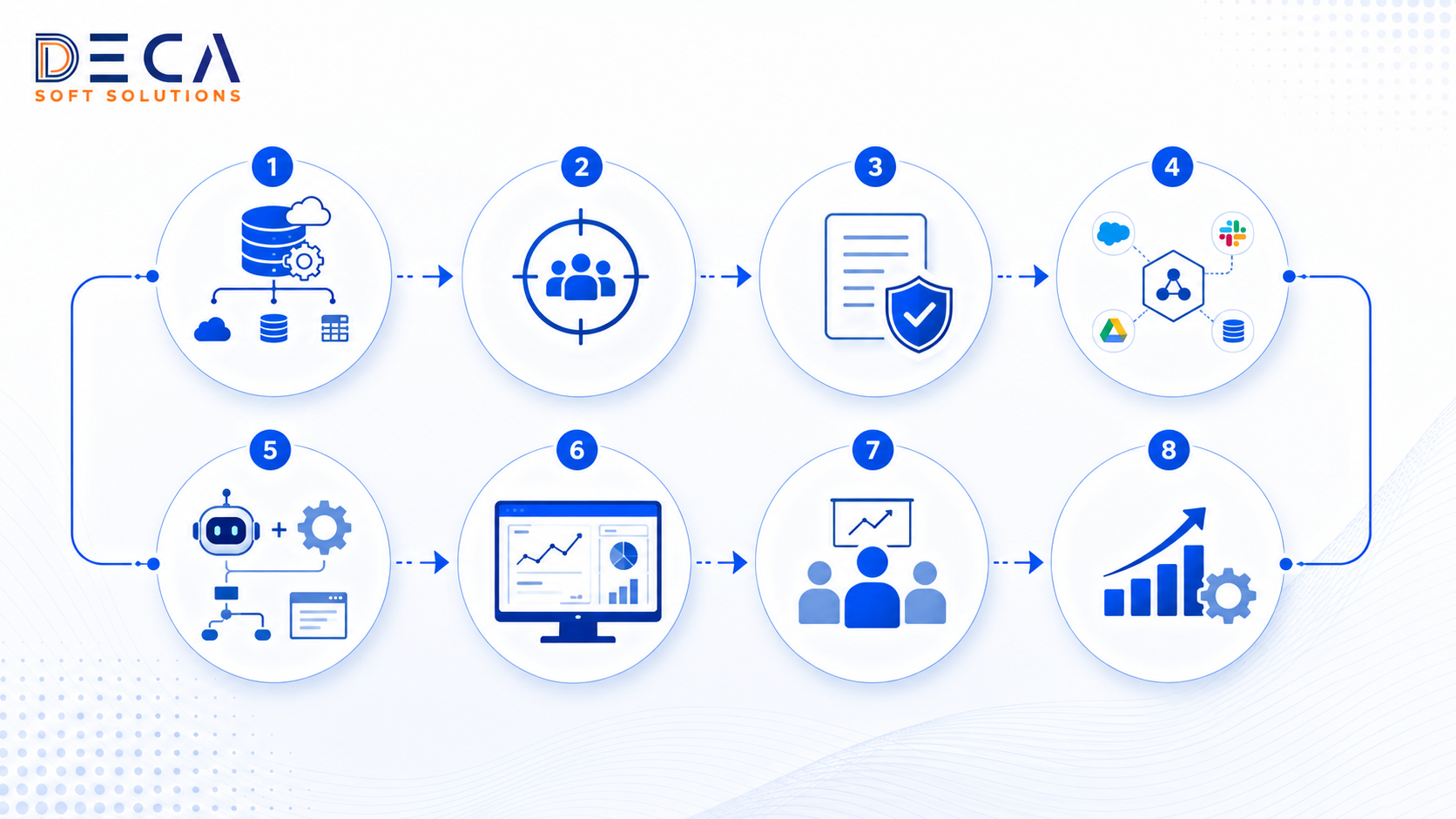
Step 1: Map your highest-friction processes
Before configuring anything, identify where your team spends the most time on repetitive, low-judgment work. Support queues, lead assignment, follow-up emails, and data entry are common starting points. Document the current process in enough detail to define inputs, outputs, and decision rules — this groundwork makes configuration far more straightforward.
Step 2: Assess your data quality
An agent’s effectiveness scales with the accuracy and completeness of the data it can access. If your CRM records contain duplicates, missing fields, or outdated contact information, address data hygiene before introducing AI into the process. The return on investment from automation compounds when the underlying data is reliable.
Step 3: Choose one contained first use case
Resist the temptation to automate everything at once. Pick a single, well-defined, high-frequency process — a specific support request type, a lead routing rule — where you can measure the before and after clearly. A focused first deployment teaches you far more than a broad rollout, and it builds confidence across the team and leadership.
Step 4: Define guardrails before going live
Use Agent Script and Salesforce permission sets to specify exactly what your agents can and cannot do: the actions they are authorised to take, the data they can access, and the situations where they must escalate to a human. Guardrails protect both your customers and your business, and they are far easier to design upfront than to retrofit after launch.
Step 5: Monitor, measure, and iterate
Agentforce includes an observability stack that lets you trace agent reasoning and identify where behaviour deviates from what you intended. Treat your first deployment as a baseline, not a final answer. Review performance weekly during the initial period and refine the logic based on real outcomes rather than design-phase assumptions.
Frequently Asked Questions
What makes Agentforce different from traditional Salesforce automation?
Traditional Salesforce automation — Process Builder, Workflow Rules — operates on fixed if-then logic. Agentforce introduces AI agents that read the context of a situation, make decisions from a defined set of options, and complete multi-step tasks. Agent Script enforces critical sequences so mandatory steps cannot be skipped, while open standards such as MCP allow agents to connect to external tools without custom development work.
Do I need Salesforce Data Cloud to use Agentforce?
No — Agentforce functions without Data Cloud. That said, a unified, real-time customer profile significantly improves the quality of agent decisions and personalisation. Data Cloud consolidates information from multiple systems and keeps it current, giving agents a complete picture rather than a fragmented one. You can start without it and add Data Cloud later as your automation programme matures.
How secure are AI agents in Salesforce?
Agentforce includes deterministic guardrails through Agent Script, configurable permission sets, and an observability layer that monitors agent behaviour and surfaces anomalies. Security and compliance still depend on how carefully you configure those controls. You define what each agent can access and act upon — and it is your responsibility to ensure that configuration aligns with your data-privacy obligations and internal governance requirements.
Can I integrate Agentforce with existing RPA tools?
Yes. The Model Context Protocol and A2A standard enable Agentforce agents to communicate with external systems through standardised connections. You can expose an RPA platform such as UiPath or OpenBots as a callable tool, allowing AI agents to orchestrate RPA bots as part of a broader automated workflow — without replacing or rebuilding your existing RPA investment.
How do generative AI features improve customer engagement?
Generative AI in Salesforce produces contextually relevant written output — email drafts, response suggestions, case summaries — tailored to each individual interaction. For customer-facing agents and chatbots, this means more natural, accurate conversations that resolve queries faster and at scale. The ability to automate drafting and summarising removes a significant volume of low-value work from your team’s day, allowing them to handle more interactions without sacrificing response quality.
Conclusion
Salesforce Agentforce represents a genuine step beyond the CRM automation most businesses are familiar with. Moving from static rules to context-aware AI agents gives your team the ability to respond faster, personalise at scale, handle higher volumes, and maintain consistent execution — all within a governed, auditable framework.
The key is to start focused. Choose one well-defined process, measure the impact carefully, and build from there. The organisations seeing the strongest results in 2026 are the ones treating their first Agentforce deployment as a learning exercise — not a full transformation — and iterating from a position of evidence.
If your team is ready to explore what intelligent CRM automation looks like in your environment, contact Deca Soft Solutions to discuss your automation roadmap.